Towards MediFlow 0.8.6: making room for clinical work
Records, documents, local models and the Mac: what changes in the version in preparation and what we have tried so far.
In this note
Version 0.8.6 starts from a concrete problem: finding useful information without moving through too many panels. One click opens the record; diary, documents and summary have distinct jobs. Navigation can sit at the top or in the sidebar.
The version is still in preparation. This is a preview of local work, not an announcement of a release that has already been published.
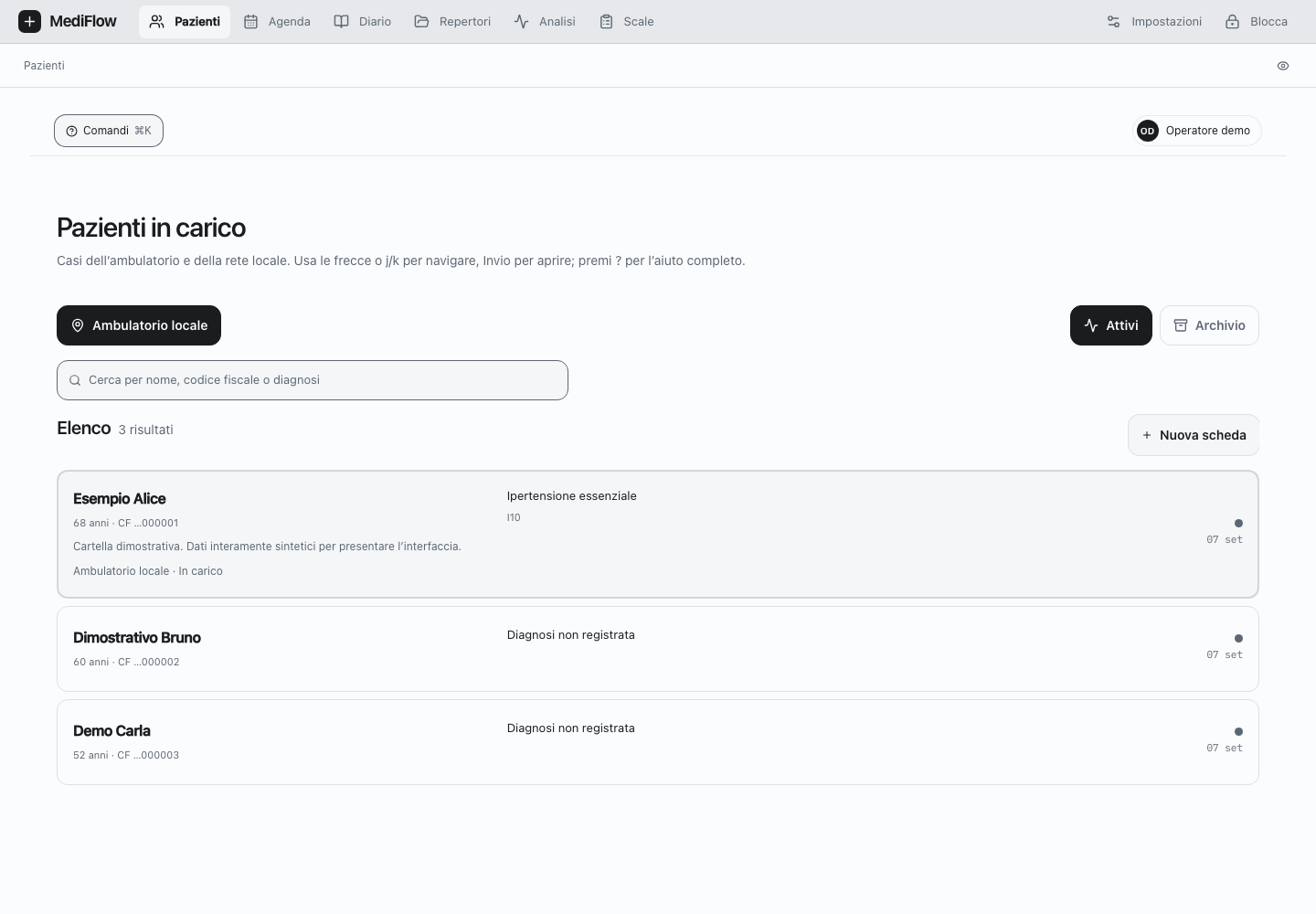
Web app screen, with invented patients. The interface is still under review.
From the record to the document
The record separates personal details, diagnoses and administration. In documents, uploading, consulting and summarising follow the same path: the original report remains reachable even when you are reading a summary.
We obtained a summary with a local Ollama model, starting from an invented PDF. The result contains a reference back to the document it came from: it lets you return to the original passage and check it. A successful test on that document does not guarantee the quality of answers on every record.
Choosing what to activate
Settings distinguish intelligent functions from reference catalogues. For each function you can choose a model; the record remains usable without AI. AIFA updates from the official source or from a local file. Exemptions go through a preview, with a backup before replacement. For WHO, a configured local service allows code search and verification; it should not be confused with the curated catalogues already present in the apps.
The external OpenAI adapter is disabled by default. A successful login and the availability of a model do not, on their own, demonstrate that a clinical function is being executed: the generation path remains under verification and is not presented as operational in the product.
Mini: a test towards 1.0
Mini remains on the 1.0 roadmap, together with Windows, Linux, iOS and iPadOS. 20 September update: version 0.8.6 consolidates the local/Headless runtime and localhost UI on Mac; native apps remain follow-up work. The Mini prototype can start from the terminal together with the Supervisor. Access and authorisation happen on the Web; from that point Mini can see the operations allowed by MediFlow services, without opening the database directly.
The local Mac test used the real CLI and Web server from revision
493a6123a807. It searched for the LOINC code for haemoglobin, read open activities
and prepared a follow-up proposal. The invented patient had no open activities, so
the list and proposal were empty. A plan of two readings was completed; no Mini
operation saved clinical changes. At logout, the session processes closed.
This is evidence of the transport and its limits, not a demonstration of clinical quality on populated cases or of operation on every platform.
Before publication
The Daybreak review led to corrections in PIN-change handling and in the limits of JSON requests. In Apple apps, drafts and session changes require their own checks; native tests remain distinct from Web tests. Source review is not product certification.
Final checks of the integrated interface and of the localhost and Headless path remain. Source, local builds and signed applications have separate deliverables: I do not turn them into a promise of complete parity.
The product screens and presentation are on Get MediFlow. The diagram on the home page shows access to the authoritative node: Web, associated apps, Mini and MCP follow distinct paths, with explicit authorisations.